rajafafaAndroid & iOS App
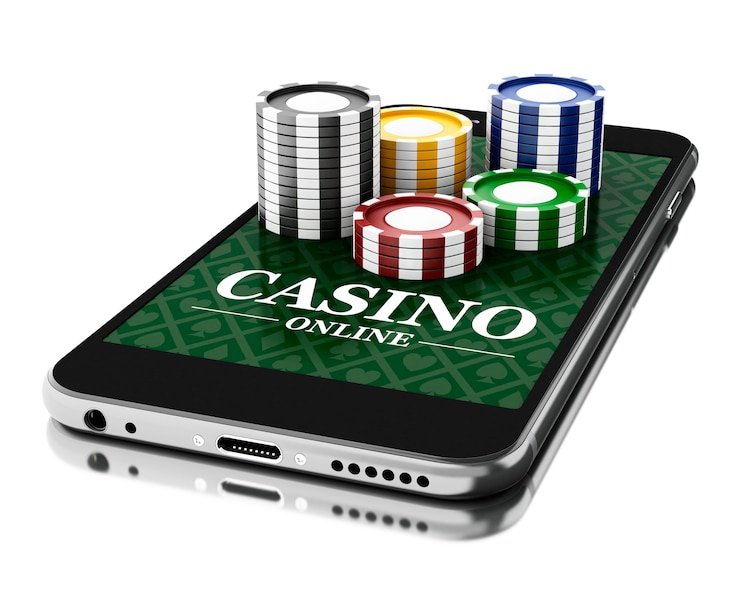
Our rajafafa app brings live football, live-dealer tables, slots, and esports directly to your phone. Whether you use Android or prefer iOS through a web-based interface, we've designed our mobile experience to keep your account secure, your transactions fast, and your access to Liga 1, Piala AFF, Champions League, and our full game library just a tap away. Our services are available only where local law permits.
- StartFirst Game
- SHA256 Match
- Installin
- LoginOTP Verification
Mobile-first access matters because it lets you stay connected to rajafafa wherever you are in Jakarta, Surabaya, Bandung, Medan, or Semarang. You can check game information during a commute, claim your weekly cashback bonus in real time, or verify your account status without waiting for a desktop login. Our app uses the same security protocols as our web platform—KYC verification, two-factor authentication, encrypted payment processing—so you never compromise on safety for convenience.
We offer two installation paths: a native Android APK for Android devices, and a mobile-optimized web app for iOS and other browsers. Both approaches give you offline caching, push notifications for live events, and fast load times. This guide walks you through installation, device requirements, troubleshooting, and how our app protects your data and permissions.
Download and Installation Options for rajafafa
How to Access rajafafa on Your Device
We at rajafafa offer flexible mobile access. If you have an Android device, you can download our native APK file directly from our platform. This APK installs as a standalone app on your home screen, giving you the fastest performance and offline capabilities. If you use iOS or prefer not to download an app, you can access rajafafa through your mobile browser (Safari, Chrome, or any modern browser) using our responsive web interface. Both methods connect to the same account, so your balance, bonuses, and transaction history sync automatically.

Installation Steps and Setup on rajafafa
Four Easy Steps to Get Started
-
1
Download the APK (Android) or open the web app (iOS)Get the app
For Android: tap the download link above and save the APK file. For iOS or browser: open the web link directly in Safari or Chrome.
-
2
Install (Android) or add to home screen (iOS)Install
Android: tap the downloaded APK and follow the prompts. iOS: tap Share and select "Add to Home Screen" to create an app-like shortcut.
-
3
Create an account or sign inVerify
Open rajafafa, enter your username and password, or tap "Open an account" to register. Complete KYC verification (ID, address, email) to enable withdrawals.
-
4
Start exploring live games and marketsReady
Browse live football (Liga 1, Piala AFF, Champions League), live-dealer tables, slots, and esports. Claim your welcome bonus and check your daily bonus eligibility.
Why Use the rajafafa App vs. Browser
Our native Android app offers performance advantages over mobile browsers. The app caches game data locally, so odds and live scores load faster on subsequent visits. We also send push notifications directly to your phone when major events are about to start—Liga 1 matches, Piala Indonesia fixtures, or Piala AFF tournaments—so you never miss a market opportunity. The app runs in the background, meaning you can receive withdrawal confirmations and bonus alerts even when you're not actively using rajafafa.
The mobile web version (accessible on iOS and any browser) gives you full feature parity with the app but relies on your internet connection for every load. It's ideal if you prefer not to install a separate app or if your device storage is limited. Both versions support two-factor authentication, encrypted login, and the same KYC verification flow, so account security is identical.

Device Compatibility and System Requirements
Our rajafafa app runs on Android 7.0 and later, covering most devices released in the past several years. If you're using an older device, you may still access rajafafa through your mobile browser. For iOS, we recommend iOS 12 or later; again, the web app works on any iPhone or iPad with a modern Safari browser. Both paths require a stable internet connection (Wi-Fi or mobile data) for live markets and real-time transactions.
Storage and Data Usage
The rajafafa Android app requires approximately 50–100 MB of free storage. Live-streaming features and downloads of past match data may use additional bandwidth; we recommend Wi-Fi for the best experience during peak events like Idul Fitri or Nyepi periods when traffic is high.
Troubleshooting Common Installation Issues
If the Android APK installation is blocked, your phone may have "Install from Unknown Sources" disabled. Go to Settings → Security or Apps → tap "Unknown Sources" and enable it temporarily. After installation, you can disable it again for security. Some devices show a warning about the app being unverified; this is normal for apps downloaded outside Google Play. We keep our APK regularly updated and scanned for security compliance.
If the browser app doesn't load on iOS, clear your Safari cache (Settings → Safari → Clear History and Website Data) and try again. If payments don't process, verify that your payment method (DANA, e-wallet, mobile banking, local payment, online payment, e-wallet, mobile banking, local payment, online payment, or e-wallet) is configured correctly in your account under "Payment Methods." Always ensure two-factor authentication is enabled before conducting withdrawals, as this protects your account from unauthorized access.
Data, Permissions, and Account Security on rajafafa
When you install our rajafafa app, we request only essential permissions: internet access (for live markets and transactions), storage (for caching odds and game data), and notifications (for alerts). We do not request access to your contacts, calendar, or camera without your explicit consent. Our app uses industry-standard TLS encryption for all communication with our servers, meaning your username, password, and payment details are protected in transit.
We at rajafafa store your KYC verification documents (ID photo, proof of residence, email) on encrypted servers with strict access controls. Your account data—including gameplay history, deposit and withdrawal records, and bonus eligibility—is retained according to our Privacy Policy for regulatory compliance and fraud prevention. You can review or request deletion of your data at any time through your account settings or by contacting our support team. Enable two-factor authentication immediately after registration to add a second security layer when withdrawing funds.
Secure Payment Processing
All deposits and withdrawals on our rajafafa app use the same encryption as our web platform. mobile banking, local payment, online payment, e-wallet, mobile banking, local payment, and direct bank transfers (online payment, e-wallet, mobile banking, local payment) are processed through verified payment gateways. Never share your login credentials or two-factor codes with anyone, including our support team.
Tips for Using the rajafafa App Securely
We recommend setting a strong, unique password for your rajafafa account—one you don't use elsewhere. Combine uppercase and lowercase letters, numbers, and symbols to protect against brute-force attacks. Update your password every few months, especially if you access rajafafa from shared or public Wi-Fi networks. Use your app's biometric login (fingerprint or face recognition) if available, as this adds an extra layer without making logins tedious.
Always verify that you're logged into the correct account before depositing or withdrawing. Check the account name displayed at the top of the app; if it doesn't match your username, log out and back in. After withdrawals, monitor your payment method for the transferred funds—they typically arrive within a short timeframe, though verification may extend the window. If a transaction seems stuck, contact our support team with your withdrawal ID, and we'll investigate.
Keep your app and phone's operating system up to date. We release security patches regularly to address vulnerabilities discovered in mobile platforms. Turn on automatic updates in your app store, and install OS updates when prompted. Avoid connecting to rajafafa over unsecured public Wi-Fi (e.g., open coffee shop networks) when handling sensitive information like withdrawals; use a mobile hotspot or trusted network instead. If you lose your phone, immediately log in from another device and change your password to prevent unauthorized access.
Key features of the rajafafa app
Live football markets
Liga 1, Piala AFF, Champions League, Premier League, and MotoGP coverage with game information updates.
Live-dealer tables
Multi-camera blackjack, roulette, baccarat, and Dragon Tiger studios streaming directly to your phone.
Slots and esports
Aviator, Sweet Bonanza, Gates of Olympus, Fortune Tiger, Mobile Legends, Free Fire, and PUBG Mobile markets.
Fast deposits and withdrawals
DANA, e-wallet, mobile banking, local payment, online payment, e-wallet, mobile banking, local payment, online payment, e-wallet payment integration.
Weekly cashback
Automatic tier-based cashback calculated weekly; claim through your account dashboard.
Account security
KYC verification, two-factor authentication, encrypted data, and secure withdrawal review process.